




The UK job market is exceptionally competitive in 2026. To get interviews in a tight economy, you need a well-structured, modern CV.
The right CV template will help you clearly outline your strengths and ensure that your formatting meets current industry standards.
To help you get that edge, we’ve picked out six modern CV template designs that match UK employer expectations. These templates are all free to download and edit in Microsoft Word, and we also have modern CV templates for Google Docs if you prefer to manage your CV online.
1. Snowdonia modern CV template
This modern CV template’s blue and white colour scheme is both professional and inviting.
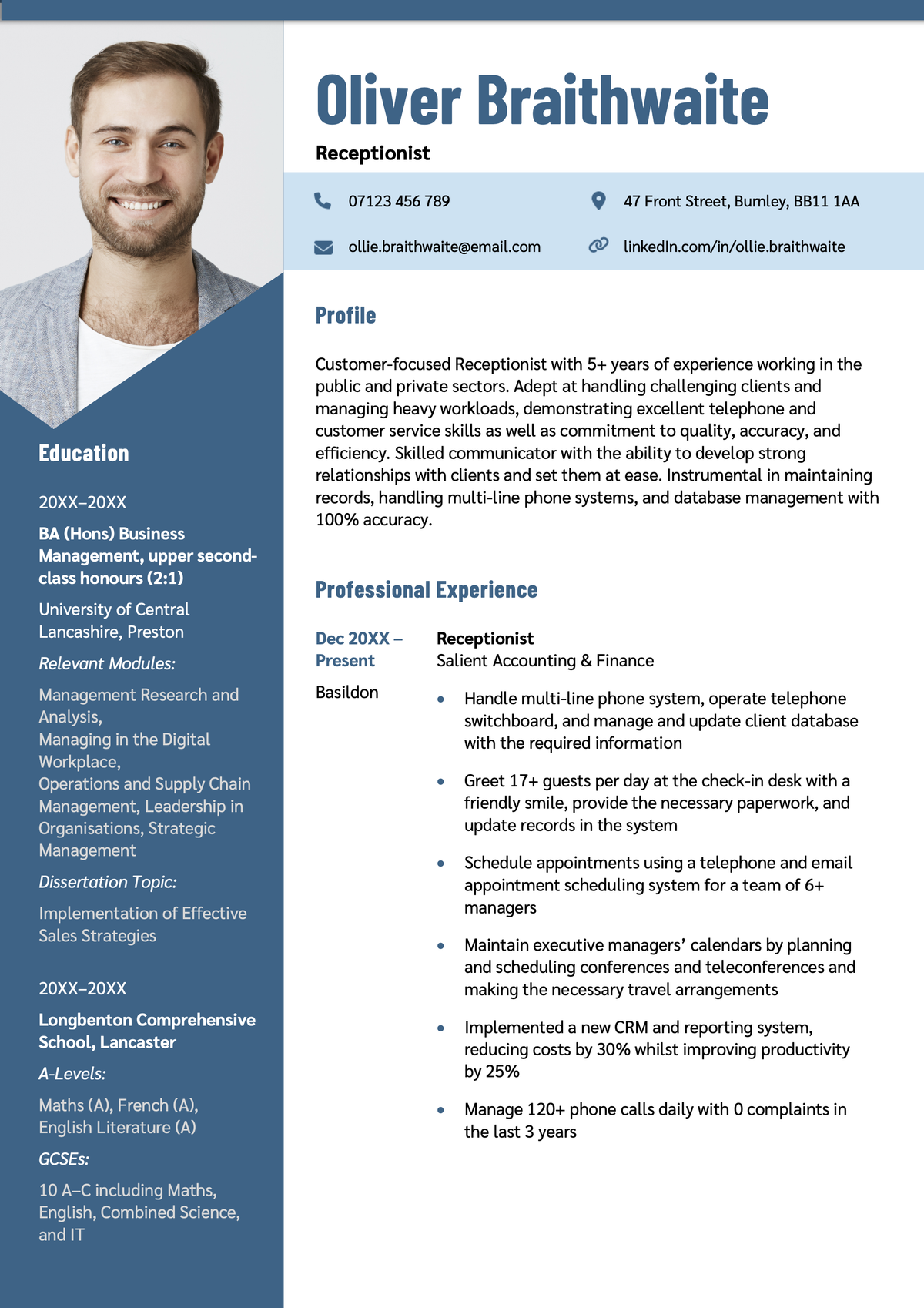
The two-column structure efficiently uses space, separating the education and profile sections from the work experience section. This improves readability and makes scanning easier for recruiters.
2. Imperial modern CV template
The Imperial CV template’s burgundy accents and clean fonts combine elegance with functionality.
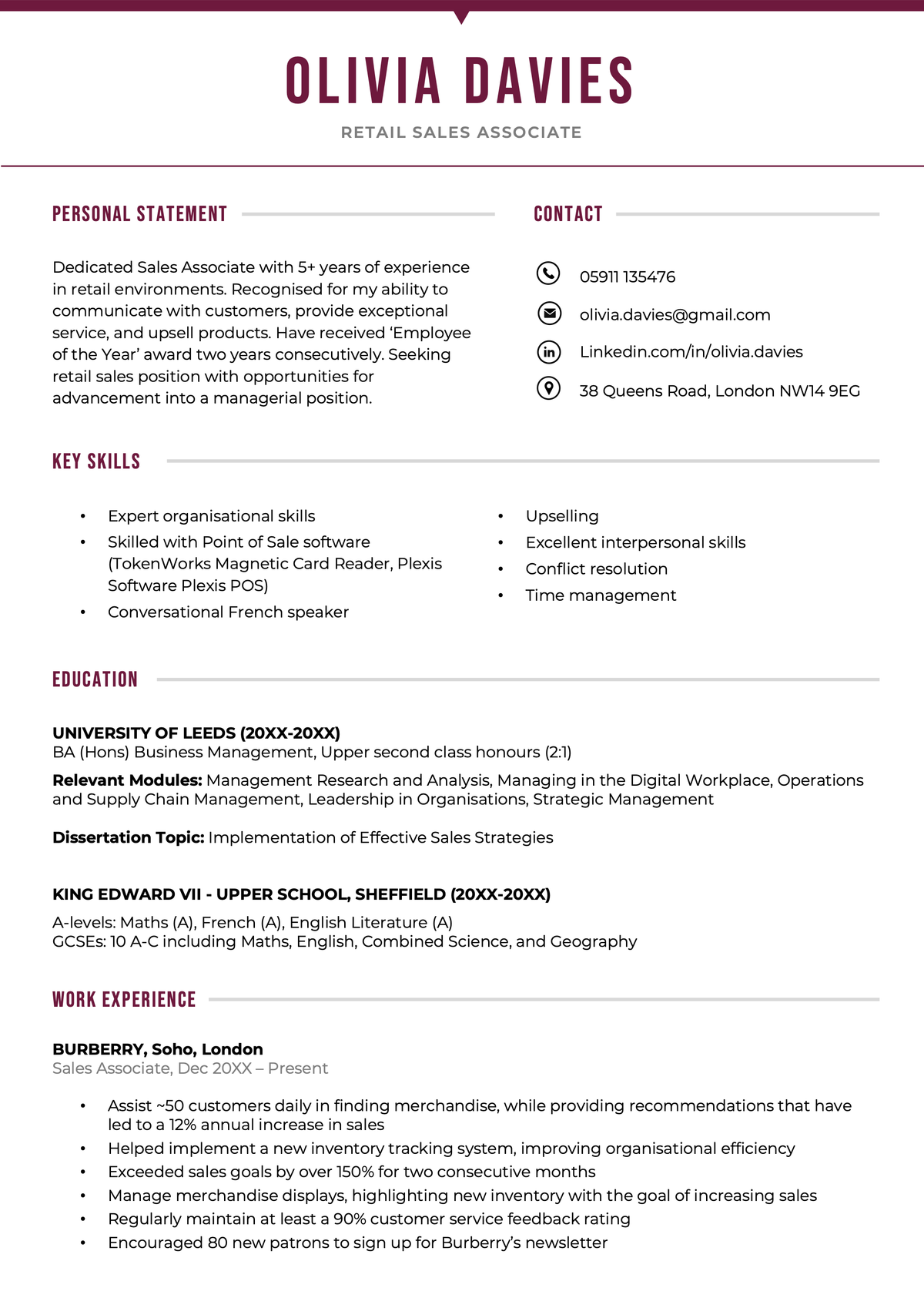
Muted lines separate the CV sections, improving readability while providing a touch of sophistication.
CV icons in the contact section give this design a contemporary touch while emphasising key details for employers.
While the text size is rather small, clever use of white space breaks up the text efficiently, making it easy to scan for key details.
Find even more professional designs like this in our shortlist of free CV templates for Microsoft Word.
3. Abertawe modern CV template
The Abertawe CV template combines aesthetic appeal with a functional layout, making it an excellent choice for showcasing your individualism.
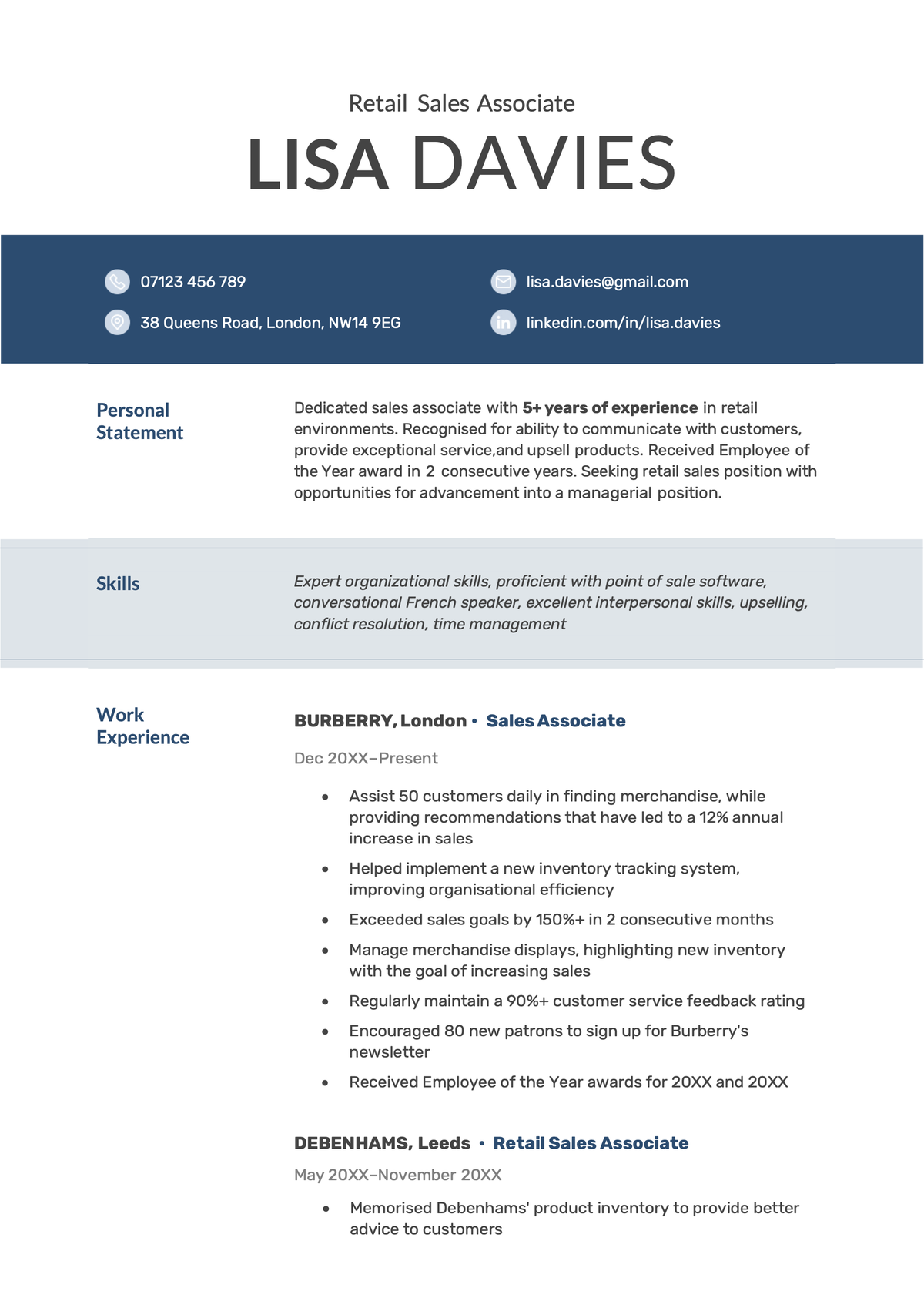
This design ensures that essential information is visible at a glance.
The header’s dark blue background creates a strong visual contrast, while icons highlight essential contact information.
The prominent skills section makes this CV template a great choice for emphasising your technical skills.
4. Brixton modern CV template
The Brixton CV template is equal parts contemporary and conventional, making it suitable for standing out in a wide range of industries.
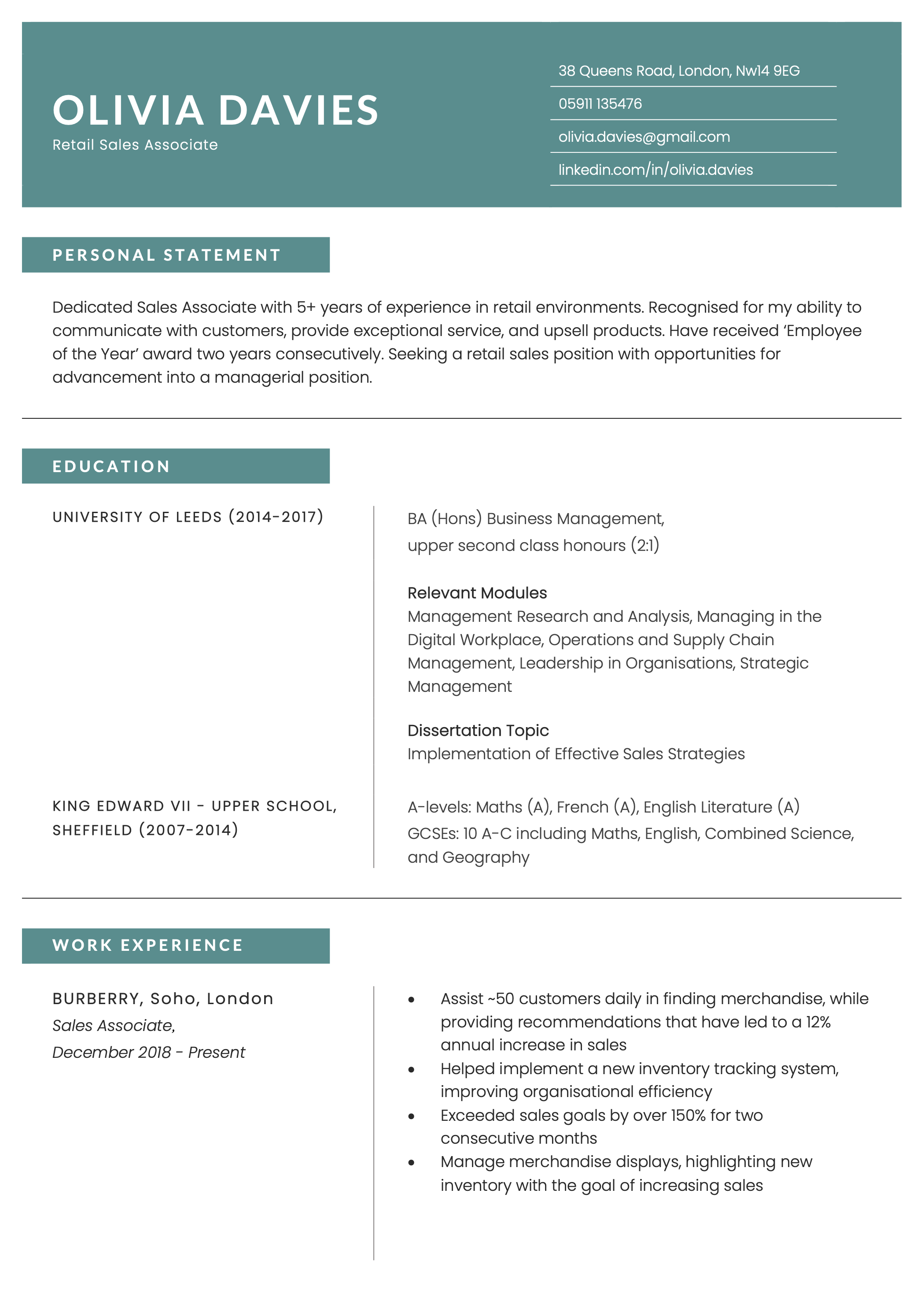
Available in four muted colour schemes, the Brixton CV template uses accents to highlight section headers.
The use of white space makes the document feel open and easy to navigate, which is helpful to recruiters scanning for key information.
5. Oxford modern CV template
Using minimal colour and efficient spacing, the Oxford CV template has a highly contemporary design.
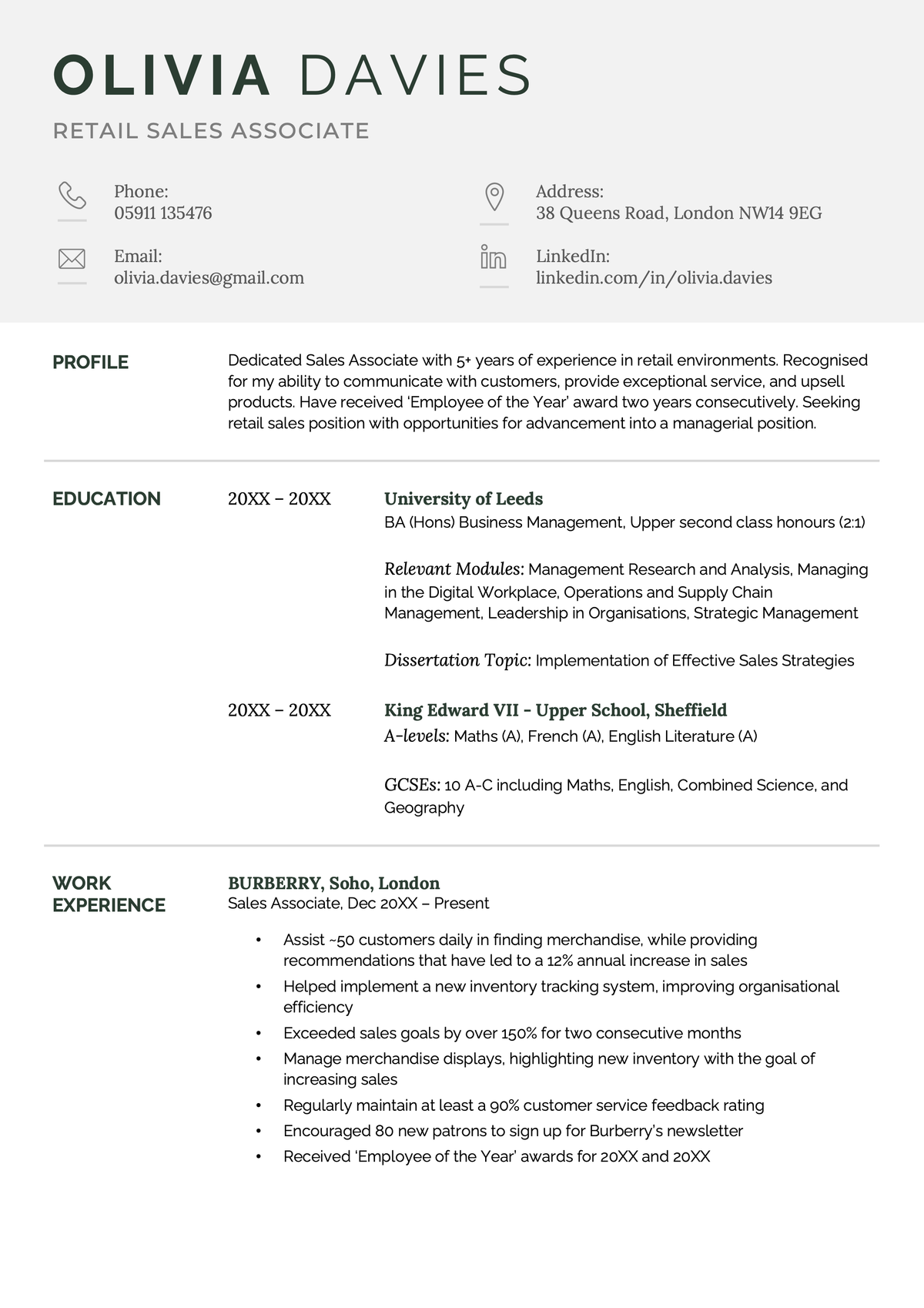
Each section of this CV template is neatly presented. Additional information is indented to the right, giving the reader a clear information hierarchy.
Subtle lines and ample white space between sections create a balanced and professional layout, making this CV a great choice for showcasing your design skills.
6. Manx modern CV template
This highly functional CV template allows you to fit more words on the page without cluttering your document.
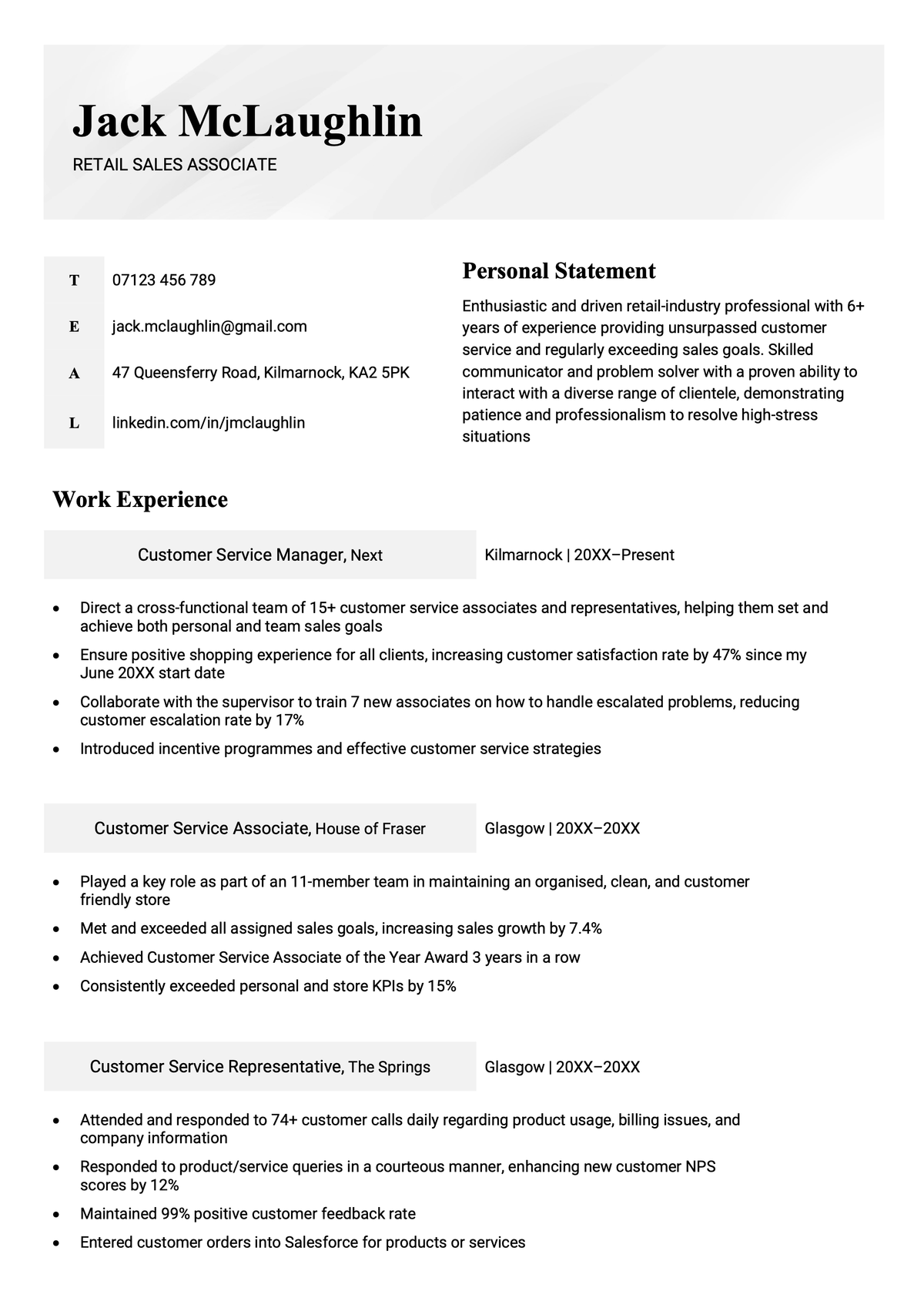
The Manx CV template uses less white space than some of the other modern CV templates on this page.
Shaded rectangles highlight the subheadings to prevent clutter and provide a clear separation between CV sections. This design allows the eye to easily focus on key information and contributes to the document’s tightly organised appearance.
Frequently asked questions about modern CV templates
Here are some questions people often have about making a modern CV.
What information should I leave off my CV in 2026?
You should not put the following personal details on your CV:
- Age
- Religious beliefs
- Political affiliation
- National Insurance Number
- Nationality
Employers don’t need much personal information to make hiring decisions. In most cases, all you should include is your full name, email address, and phone number.
It’s also worth noting that you don’t normally need to put your full address on your CV as the employer will contact you by phone or email.
However, it may be helpful to include your town or city so the employer has a rough idea of where you’re based. This applies to remote jobs, as many employers prefer workers to be in specific locations or have specific time zone requirements.
What’s the best CV format for 2026?
The chronological CV remains the best CV format for 2026.
Chronological CVs present your work history in a clear timeline, starting with your most recent experience. Employers prefer this format because it makes your work experience section the focus of your CV.
With UK employers struggling with an ongoing skills gap, chronological CVs are a useful tool for demonstrating your abilities.
This allows the employer to easily track your career progression and see how you’ve applied your skills and expertise on the job.
A chronological CV should contain the following information:
- Contact details
- Personal statement
- Work experience
- Education
- Key skills
How often should I update my CV?
You should update your CV semi-regularly — twice a year is often enough. You should still update your CV when you have a job. This will allow you to respond quickly to any job opportunities that emerge unexpectedly.
You should take the following actions to ensure that your CV is up-to-date:
- Check whether your CV is tailored to your current career goals
- Add recent work experience
- Refine your skills section
- Update your personal statement
If you’re in a rush to update your CV, use an online CV checker to quickly identify the areas that need improving.








Copy Link
Facebook
Linkedin
Twitter
Pinterest